How I built the AI agent for JiraMetrics.pro
What makes an agent reliable in practice: tool design, behavior tuning, and systematic testing.
Adding a working AI agent to an existing product can be fairly quick today. The harder part is making it reliable enough for users to trust with some of their professional work. That takes systematic tuning and testing of the agent's behavior: which data it selects, what it calculates, what conclusions it draws, and what actions it proposes.
Even a small change to a prompt, a tool description, or the context can affect the result. To judge whether a change helps, I need to run the same user scenarios repeatedly and review the whole response.
JiraMetrics.pro helps people analyze how issues move through Jira: how long work takes, where it accumulates, and how the number of completed issues changes over time. The extension already handles some of the routine work by collecting data and building reports. But someone still has to look through the charts, choose comparable periods and filters, bring the metrics together, and work out what they mean for the team.
I wanted to give the agent some of that work. A user asks a question in the side panel, and the agent selects reports, requests data, and helps interpret it. For example, it can compare completion times across two periods or examine where work in progress is building up.
I started development back in 2025. By 2026, I could see practical value in the agent: I could hand over part of the work of analyzing reports. Below are several decisions from the 2026 rework: how the tools are organized, where the limits on conclusions and actions lie, and what makes a change worth accepting or rejecting.
The product describes the agent's tools
The extension had nine reports and a dashboard with widgets. The agent's server knew about four reports. Their names were defined in data models, their behavior was described in the general prompt, and each had a separate server function for calling it.
Adding a report to the product was not enough. I also had to describe it in several places for the agent. The two parts of the same product gradually drifted apart.
The extension became the source of tool descriptions. At the start of a request, it sends the server a catalog of available reports, the parameters they accept, and the data they return. The model uses this catalog to choose a tool. The server forwards the call to the browser, where the extension executes it and returns the result.
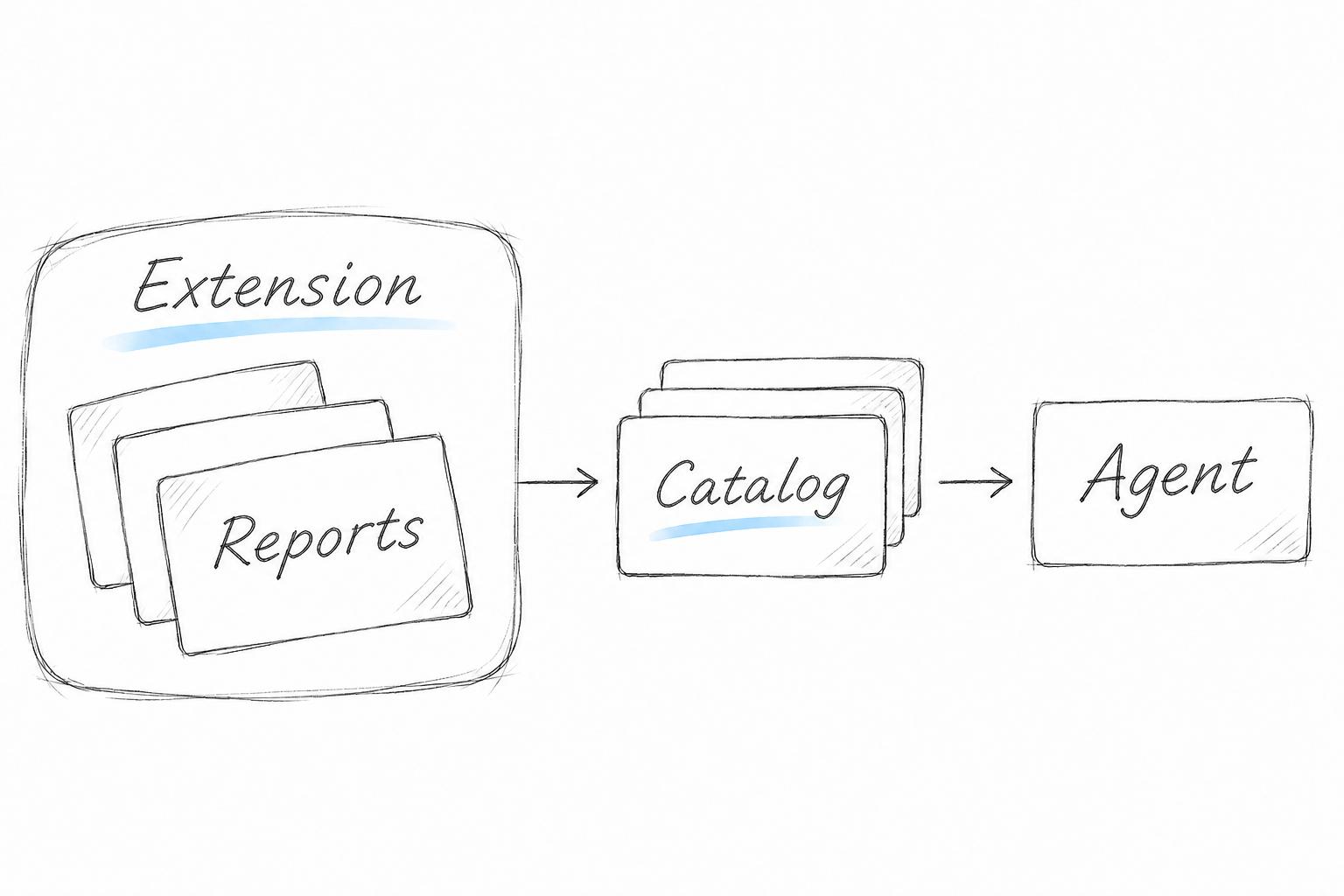
I chose a separate tool with its own parameter schema for each report. An alternative with three generic functions—find a report, describe it, query its data—would have required additional calls to retrieve descriptions. The query parameters would also have become too generic. A separate schema gives the model the allowed fields and value types directly.
For analysis, the model receives metrics about issue movement, issue keys, and query parameters: periods, columns, and filter names. Issue titles and descriptions are not part of the extension's own data.
The agent loop runs on the OpenAI Agents SDK. I used its MCPServer interface to provide the catalog and call tools. Messages travel over the existing WebSocket connection between the browser and the server.
Metric calculations stay in JiraMetrics.pro. When the agent requests Lead Time—the time issues spend passing through the selected columns—it uses the same code that builds the chart for the user. Both the descriptions of available reports and their calculations now live in the extension. I did not need to maintain a second implementation of the metrics on the server for the agent.
Arithmetic stays in code
A language model generates text, including numbers and formulas. It can solve arithmetic problems, but it can also explain a calculation in detail and get the result wrong. An analytics product cannot rely on that: users will make decisions based on the number they see in the chat.
A broad rule to never calculate anything prevented the agent from answering ordinary questions about totals and differences. So a separate tool handles the calculations: a small calculator with a fixed set of allowed operations and decimal arithmetic.
The model chooses the operation and input values. Code calculates the sum, difference, or percentage change, and the model explains the result to the user.
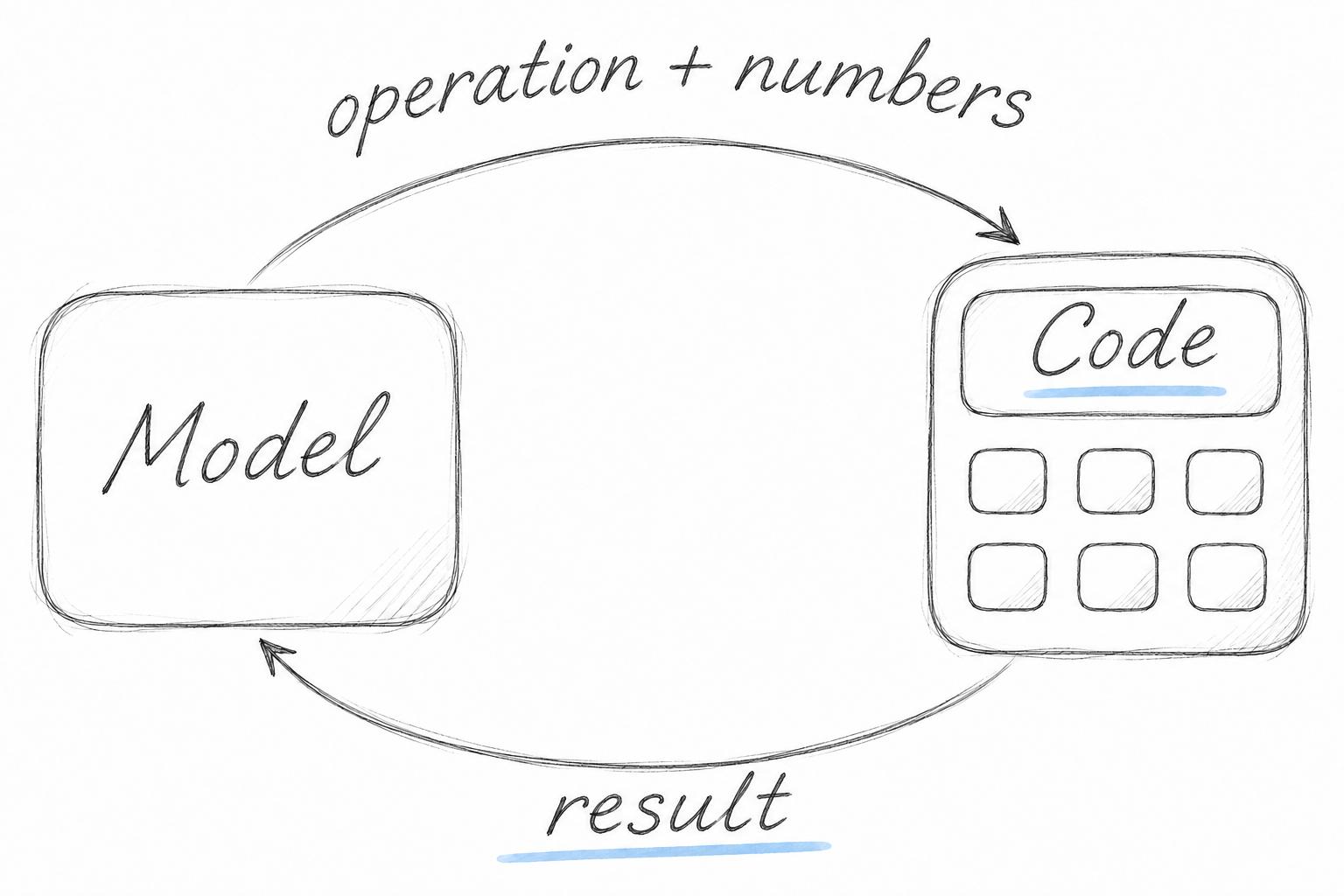
The calculator handles the arithmetic, while the model still selects the input data. It might use values from the wrong periods or drop an issue-type filter. Checking the answer therefore means checking the operation, the input values, and the conditions under which those values were obtained.Correct arithmetic is only one part of a correct answer.
What a metric can support
“When will this issue move to the next column?” is a natural question from someone waiting for work to be done. They should not have to understand statistics or know which data the agent can access.
In my case, the agent could retrieve the issue's age and the 85th percentile: the time within which 85% of issues in the historical sample had finished. The next step looked reasonable on the surface: subtract the time already spent and report what remained.
That subtraction does not produce a justified forecast. The percentile describes the full duration of historical issues. A question about remaining time concerns issues that have not yet finished at their current age. Also, age in this report meant the accumulated time across the selected columns, which could differ from the time spent in the current column.
Historical data from comparable work can support a service level expectation in Kanban: a forecast of how long an issue will take, with a given probability. That version of the agent had no separate calculation for remaining time. The numbers provided a historical reference, and the model turned it into a promise of when the work would finish.
The agent accepted the question's premise: that the available data was already enough to calculate a completion time. This resembles models' tendency to agree with users, although this case alone cannot establish the cause of the error.
Switching models did not solve the problem on its own. Sometimes the error survived even in responses with the right caveat: the agent would say that it could not provide a forecast, then give a numerical estimate of the remaining time anyway. Checking only for the refusal could make that response look successful.
In these tests, clarifying the report's own description helped where repeating the rule in the general prompt had not. The description explained what was measured, which columns the numbers referred to, and which conclusions they could support. The limit on forecasting was tied to the specific metric the agent was about to use.
Along with the data, the agent needs the limits on how it can be used. In this case, it should have explained where the issue stood relative to past work and the limits of that comparison. It had no basis for promising a completion date.
Who decides whether to change the screen?
When a user asked “Can you show me?”, the agent sometimes tried to change the filters on screen, even though the user might have expected an answer in the chat.
These attempts continued after I clarified the instructions. In the version under development, confirmation of changes was therefore handled by the extension, where the action is executed. If the model misunderstood the request, the user could still reject the proposed change. That rejection was returned to the agent as the result of the tool call.
Permission to change the screen was checked where the action ran. The model could propose an action, while the user decided whether to allow it.
The response also let the user open a report with the same filters—for a particular team and period, for example. That gave them a way to check the analysis and continue working on their own.
What counts as an improvement?
When comparing versions, I need to answer two questions: did the agent get better at the original task, and did it maintain its quality in other scenarios? An experiment with the current screen settings shows why both questions matter.
The user had already selected a period, columns, and filters on screen. Sending those settings along with the question seemed useful: the agent would have more information about which data the user meant.
The report tool could already inherit unspecified parameters from the screen and report which filters it had applied. In the experiment, the model also received a snapshot of those settings before choosing a tool. Each scenario was tested in two sets of five runs: one with the settings in the model's context and one without.
In the Flow Efficiency scenario—the proportion of time spent actively working—the agent requested the correct data slice in all five runs with the settings snapshot, compared with none of the five runs without it. Errors in the substance of the answers persisted in both versions. For example, the user had already explained that issues waited for a release every two to three weeks. In one response, the agent listed waiting-time metrics but did not connect them to that explanation. The screen parameters helped it retrieve the report; interpreting the report still required it to account for what the user had said in the conversation.
In another scenario, the user asked about a specific issue hidden by the current filter for urgent issues. Answering required querying its history without that restriction. Without the additional context, the agent incorrectly kept the filter in one of five runs. With the additional context, it did so in three of five runs. The screen setting did not fit the new question, but it continued to determine the data selection.
The prompt already gave priority to conditions explicitly specified by the user. But someone asking this kind of question does not list every setting that needs to be overridden. They simply name the issue. The agent still has to identify which screen restrictions conflict with that request. That step needed its own test.
I left the settings snapshot disabled. Tests for a change like this need to cover both settings that fit the question and settings that conflict with it. A correct tool call shows which step improved. Deciding whether to enable the change also requires checking the meaning of the answer and looking for regressions in other scenarios.
Tests evolve with the agent
The next version of the agent may use new tools, different context, or a different model. For each change, I need evidence that it still handles users' tasks correctly. The test set has to be maintained alongside the agent.
Memory between messages is a separate concern. In the version under development, conversation messages remained in the history, but tool results did not. A follow-up answer could rely on the text already written and lose the original filters or sample size. Continuing an analysis requires keeping conclusions connected to their periods, filters, and source numbers—and scenarios that check whether those connections survive across the conversation.
This is what I consider a basis for trusting an agent: clear roles for its tools, justified conclusions, control over its actions, and testing changes before enabling them. That work continues as the product develops.
In the next article, I will cover how I test this agent: turn cases from conversations into tests, compare versions, and examine answers that an automated evaluator marked as successful. If you are interested in how I check the agent's quality before a release, follow along for the next part.

Anvar Khakimov — Product and engineering leader, 15+ years from developer to IT lead. Building JMP and writing about technology, management, and AI.